

Mastering the SEAB-Approved Calculator Guidelines: A Guide for PSLE and O-Level Success
- 6 min read

Every year, SEAB publishes an approved calculator list for the national examinations, and the list was updated recently on 5 January 2026. The list covers what every student sitting for their PSLE or O-Level Mathematics this year needs to know, and the rules that come with it are specific. Most are straightforward to follow. A few catch students and parents off guard because they are easy to overlook until it is too late to act.
Mastering the SEAB guidelines means knowing both which models are on the approved list set by the MOE and what the rules require from the moment a student walks into the examination hall.
Why Having the Right Calculator is Crucial for PSLE and GCE O-Level
The choice of calculator matters for three practical reasons:
- Accuracy and Speed: A scientific calculator that a student knows well reduces the time spent locating functions during Paper 2. In Mathematics and Science examinations, where multi-step calculations are standard, that familiarity translates directly into fewer errors and more time spent working through the problem rather than navigating the device.
- Confidence: Sitting for an examination with a calculator model purchased the week before introduces unnecessary friction. Students who have used the same calculator throughout the academic year know exactly where each function key sits. That removes one variable from an already high-pressure environment.
- Compliance: SEAB’s regulations on approved models and in-hall conduct are not ambiguous, and the consequences of non-compliance thus fall on the student. A device that has not been cleared of stored data, or a model that is not on the approved list, can be confiscated at the point of entry. Neither outcome is recoverable once the paper begins.
Official List of MOE-Authorised Scientific Calculators for 2026
The following calculator models appear on the SEAB-approved list, updated as of 5 January 2026. All are suitable for PSLE Mathematics and Foundation Mathematics examinations, as well as GCE N(T), N(A), and O-Level examinations.
Casio:
- FX 82MS (2003–2026)
- FX 85MS (2003–2026)
- FX 95MS (2003–2026)
- FX 97SG X (2018–2026)
- FX 350MS (2003–2026)
- FX 97SG CW (2026–2030)*
Sharp:
- EL W531S II (2018–2026)
- EL W531S II Silver Edition (2021–2030)
Canon:
- F-960SG (2017–2026)
Hewlett Packard:
- HP 10S+ (2013–2029)
*The FX 97SG CW carries approval through 2030, but the vendor-updated model is only available from November 2026. Confirm availability before purchasing.
A note on previously approved models: SEAB’s guidelines confirm that all calculators on prior approved lists remain valid for national examinations unless SEAB specifically withdraws the approval, with at least two years’ notice given to schools and the public. If a calculator model your child is currently using does not appear on the 2026 list but was approved in a previous year, it is generally still permitted.
Essential Regulations for Calculator Usage in 2026 Exams
To maintain a fair testing environment, SEAB sets out specific expectations across four areas: what the calculator must be capable of, what features are banned outright, how the physical device must be presented, and what students are responsible for on the day.
1. Technical Requirements
To be approved for use, a calculator must meet the following minimum specifications:
- Supports the four basic arithmetic operations (+, −, ×, ÷), brackets, and order of operations
- Includes square root and cube root functions
- Displays the value of Pi (π)
- Fraction function retains results in ‘a/b’ and ‘a b/c’ form
2. Prohibited Features
These features will disqualify a calculator from use in national examinations, regardless of brand or model.
- No programmable calculators, including models capable of numerical integration or numerical differentiation
- No external storage functions via cards, tapes, or plug-in modules
- No wireless communication capability, including infrared
- No capability for storing or displaying verbal information
3. Physical Requirements
Beyond the model itself, SEAB sets out specific conditions for how the device must be presented on the day.
- Must be silent, with a visual display only
- Instruction leaflets, formula stickers, and conversion tables must be removed before entering the venue; information printed on the device that cannot be removed must be securely covered
- The original brand and model number must remain clearly visible for verification
4. Candidate Responsibilities
The following obligations sit with the student, not the school or the invigilator.
- Students may not share or borrow calculators during the examination
- Ensuring the battery is functional is the student’s responsibility; a faulty power supply is not grounds for special consideration
- All stored text, formulae, or previous calculations must be cleared from memory before entering the exam hall
Pro-Tips for Optimising Calculator Use During Exams
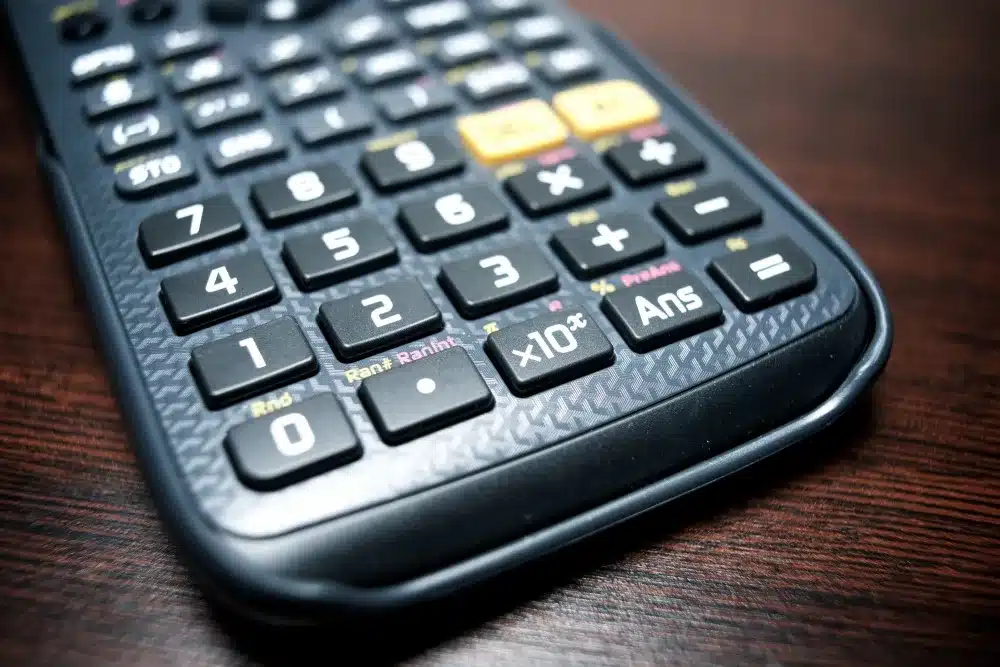
The approved list tells you what you can bring into the exam hall.
These habits below, however, determine what happens once the paper starts. Calculation errors in examinations rarely come from not knowing how to use the device. Instead, they come from small lapses in routine that are entirely preventable.
- Know the Calculator Before Exam Day: Students should be using their approved model throughout the school year, not only in the final weeks before the PSLE or O-Levels. Locating every function key without hesitation is a skill built through repeated use, not last-minute familiarity.
- Check the Battery Early: Replace the battery at the start of exam season, or carry a spare set in the stationery pouch. A calculator that fails mid-paper is the student’s problem to resolve, and there is no available remedy in the exam hall.
- Re-Key to Verify: After arriving at a final answer, enter the calculation again as a check. A single incorrect keystroke can change the result, and in a subject where the final numerical value carries marks, re-keying takes ten seconds and costs nothing.
- Work in the Unit the Question Specifies, From the First Step: The 2026 PSLE syllabus states that any unit required in an answer is provided in the question; students simply need to give their answer in that unit. The error to avoid is setting up the working in a different unit and not catching it before writing down the final figure. Confirm the computation was done in the correct unit before recording the output.
Ready to Give Your Child a PSLE or O-Level Edge?
Choosing a SEAB-approved calculator is the straightforward part. The harder work is making sure your child can apply it confidently to the types of questions that appear in PSLE and O-Level Mathematics: multi-step problems, non-routine problem sums, and questions that require both conceptual understanding and accurate computation under time pressure.
At TLS Tutorials, our educators work with Primary and Secondary students on exactly this. Whether you are looking for Primary Math tuition classes, a Secondary Math tuition centre in Singapore, or targeted support for Secondary 4 Maths in the lead-up to O-Levels, lessons are structured around your child’s specific gaps rather than a generic syllabus run-through.
If you would like a clearer picture of where your child stands before the next examination, speak with us to find out more.